Real PixComic workflow

Story to Comic Generator

PixComic already supports prompt-based comic creation. This page focuses that workflow on creators who start from a story idea and want finished pages fast.

Story prompt input
Multi-page comic output
Reusable characters

Prompt examples

Theme-specific prompts to try

Each example is written for this exact tool intent so the page is useful to readers and not a repeated landing page.

Before you generate, check

  • One scene goal is clear
  • The main cast has roles
  • The ending beat suggests what happens next

Mystery opening

A teenage courier finds a sealed map inside a rainy train station locker. The map glows when a stranger enters, and the final panel reveals the courier name written on it.

Use this when the story needs a clean hook and one strong reveal.

Use this prompt

Rival scene

Two childhood rivals meet on a rooftop after years apart. One wants to apologize, the other hides a secret mission, and the scene ends when both hear the same alarm.

Good for relationship conflict, expressive faces, and a clear next-scene setup.

Use this prompt

Small adventure

A lost robot, a curious child, and a broken city guide try to cross a market before sunset. Show their problem, teamwork, and a final clue pointing home.

Keeps the cast small so the generated pages can stay readable.
Use this prompt

Use cases

When to use Story to Comic

These examples match what the current PixComic creator can actually do.

1

Short fiction drafts

Convert a scene, character moment, or plot beat into visual pages before committing to a longer story.

2

Role-play stories

Use a relationship, quest, rivalry, or fan-style setup as the source for a quick comic draft.

3

Creator ideation

Test whether an idea reads well visually before polishing the script.

Workflow

How this connects to the creator

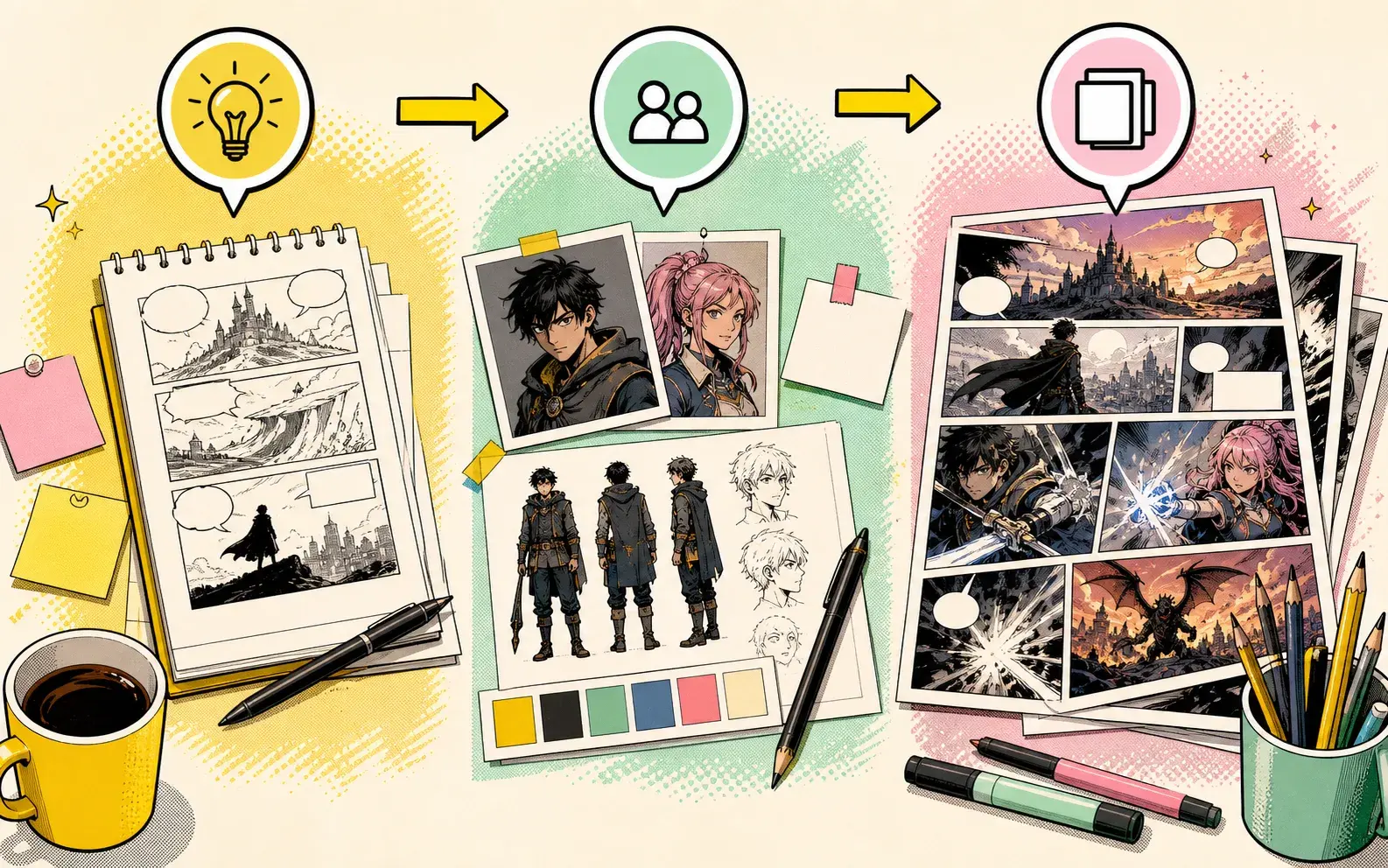
1

Write the story idea

Start with a compact prompt that names the cast, setting, mood, and conflict.

2

Choose comic style

Pick comic, manga, manhwa, manhua, or another available visual style.

3

Generate and continue

Create pages, review the result, then continue or regenerate when the story needs another beat.

Story to Comic example 1
Story to Comic example 2
Story to Comic example 3

FAQ

Clear expectations before you create

Is this a separate product from PixComic create?

No. It is a focused entry point into the real PixComic create flow for story-first comic generation.

Can I use character photos?

Yes. Create or select characters first, then use them inside the story prompt.

Can I make more than one page?

Yes. The create flow supports multiple page counts for short or longer comic drafts.