Why this example works

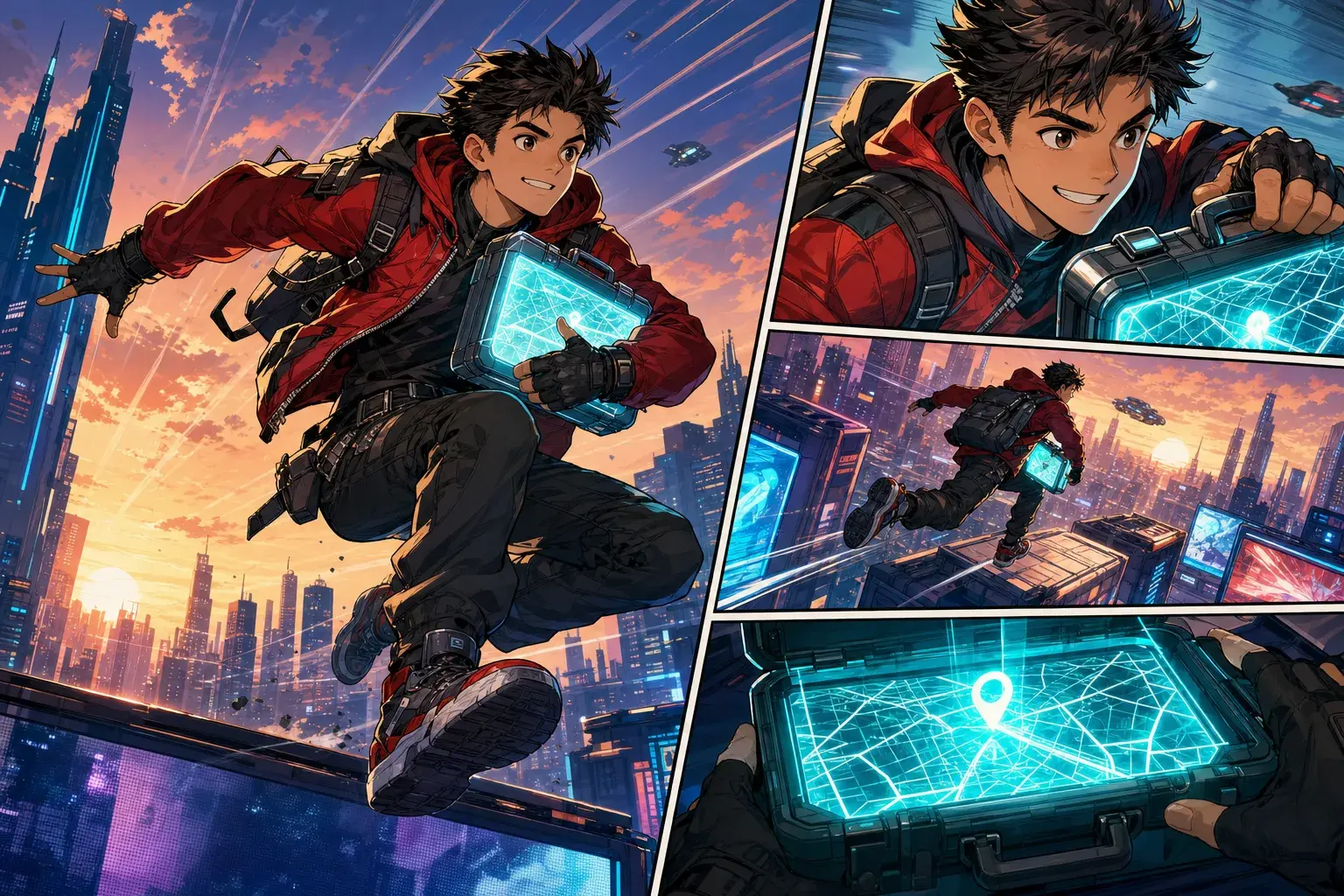
Cyberpunk Courier AI Comic Page Example

A rooftop courier scene showing how a focused story prompt can become a readable multi-panel AI comic page.

Cyberpunk Courier AI Comic Page Example

Example prompt

Prompt structure used for this result

A young courier leaps across neon rooftops at sunset while holding a glowing map case. Show one large action panel, two smaller reaction panels, fast motion lines, and a final close-up of the map clue.

Try this prompt in PixComic
1

What the example shows

This example focuses on a cyberpunk action comic page. It gives the page a clear visual job instead of asking for a generic AI art image.

The image works because the cast, setting, conflict, style, and final beat are all visible in one readable comic composition.

2

Prompt pattern to reuse

Use a prompt that names the character, location, conflict, visual style, and ending beat. That structure helps PixComic build pages that read like a scene.

Prompt used for this example: A young courier leaps across neon rooftops at sunset while holding a glowing map case. Show one large action panel, two smaller reaction panels, fast motion lines, and a final close-up of the map clue.

3

How to make a similar comic

Open the related PixComic creator setup, keep the scene focused, and change one variable at a time: character role, setting, style, or final reveal.

When the first result is close, continue from it instead of rewriting the whole story. That keeps the comic direction stable.

More AI comic examples

Each example includes the prompt shape, why the image works, and which PixComic tool to open next.